
Choosing an office desk by width alone is one of the easiest ways to end up with a workstation that feels wrong. A desk can be long enough for two monitors but too shallow for comfortable screen placement, or large enough for paperwork while leaving too little room for the chair to move.
The right desk size depends on the equipment you use, the tasks you perform, the room around the workstation and the storage that needs to fit nearby. This office desk size guide explains how to compare width, depth, height, leg clearance and desk type before you request a quote.
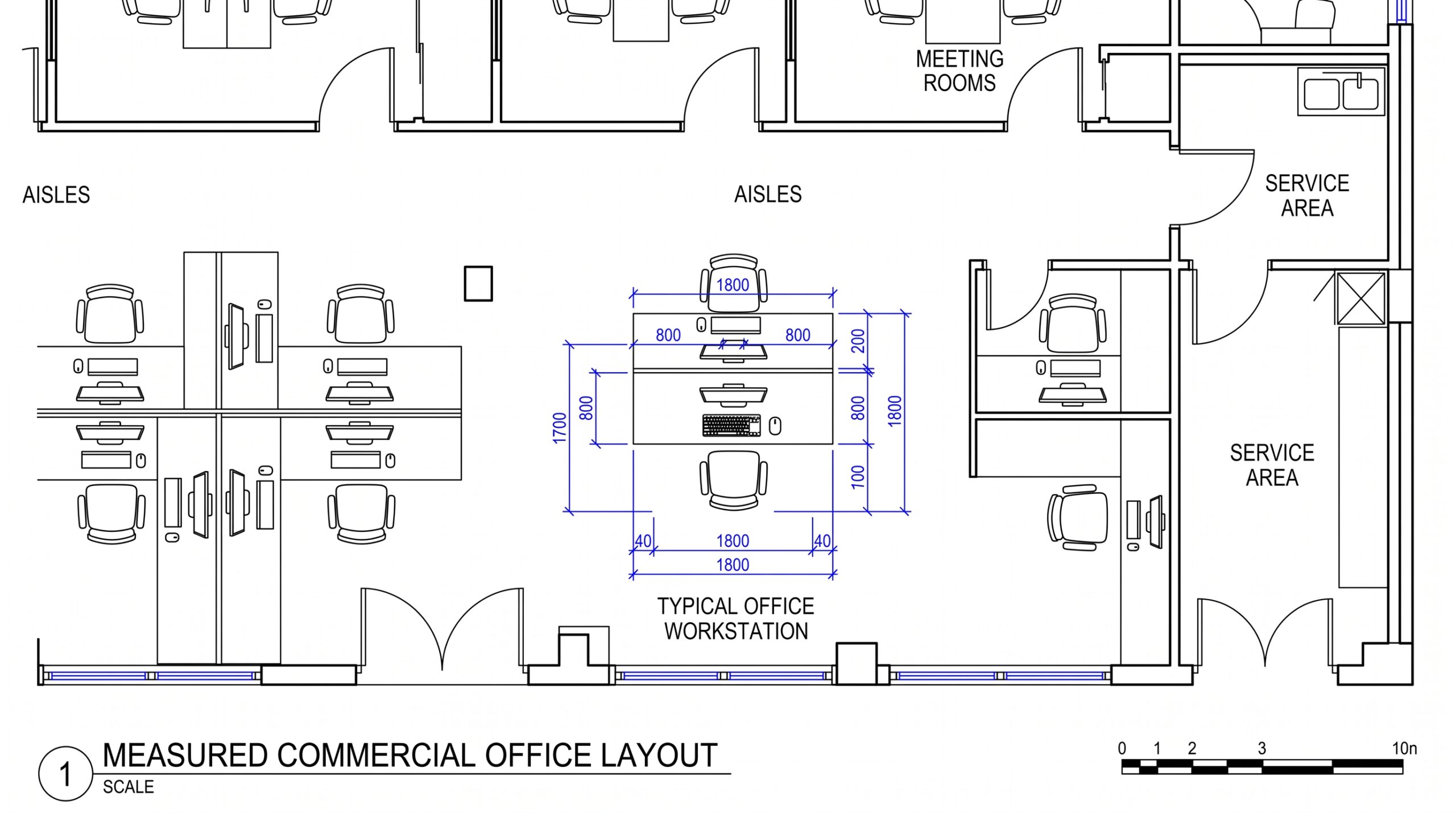
For many office setups, desks in the 48- to 72-inch width range are common starting points, while depth often falls around 24 to 36 inches. The better measurement is the one that supports your actual monitor setup, paperwork, equipment and room clearance. A laptop-only workstation may need far less surface area than a dual-monitor office with files, a phone and daily paperwork.
Start with the usable room rather than the desk you like online. Measure the wall length, room depth and any fixed elements that reduce the available footprint.
Account for:
A 72-inch desk may fit along a 7-foot wall on paper, but that does not mean the room will function well after storage, seating and circulation are added.
Desk width is the left-to-right measurement of the main work surface. The right width depends less on the room category and more on what needs to stay on the desk every day.
Planning Width | Typical Use | What to Check |
40-48 inches | Laptop work or compact spaces | Computer, input devices and essentials |
48-60 inches | Single-monitor workstation | Monitor, keyboard, phone and light paperwork |
60-72 inches | Dual monitors or regular paperwork | Screens, documents and frequently used items |
72 inches and up | Larger or executive workstations | Room size, storage and circulation |
These are planning ranges, not rules. Monitor stands, desktop computers, large keyboards, drawing equipment and the need to meet with visitors across the desk can all change the surface area required.
Depth is the front-to-back measurement of the desk. This affects how far the monitor can sit from the user and how much room remains for a keyboard, documents and writing space.
OSHA guidance for computer workstations recommends enough desk depth to place the monitor directly in front of the user and at least 20 inches away. The agency also notes that additional depth can be useful when a workstation includes larger monitors or multiple components.
A shallow desk may work for a laptop or compact setup. A deeper desk can provide more flexibility when the workstation includes a large monitor, dual displays, paperwork or equipment that needs to remain on the surface.
Fixed-height office desks are commonly built near standard seated work-surface heights, but the correct workstation fit still depends on the chair and the user. A desk should provide enough clearance for the thighs, knees and feet while allowing frequently used equipment to remain at a workable height.
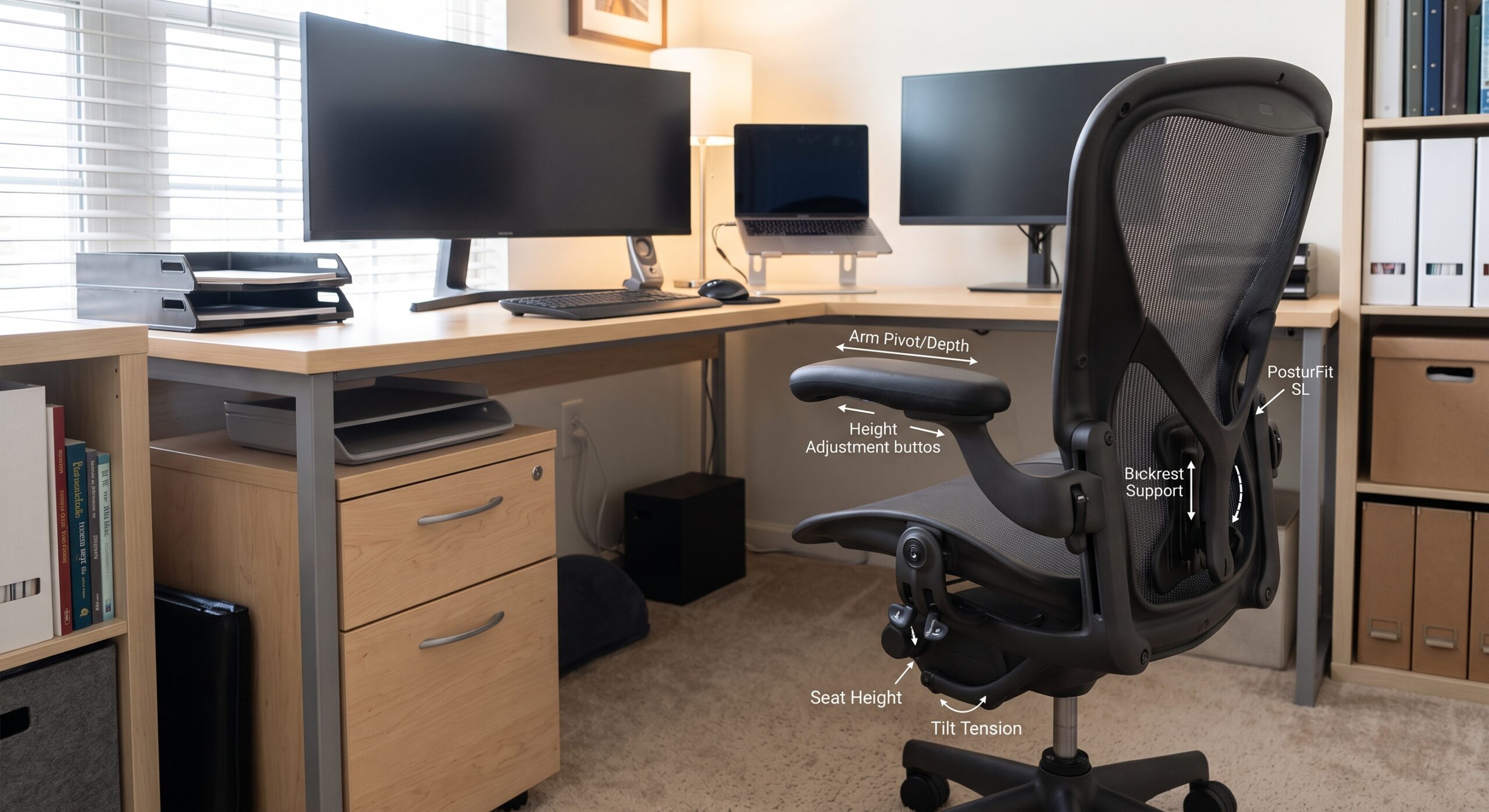
Do not fill the area under the desk with file boxes, computer equipment or storage that prevents the chair from moving in close enough. When the work surface cannot be adjusted, the chair and, when necessary, a footrest or keyboard tray can become part of the workstation setup.
A laptop-only setup can use a smaller work surface because there is no separate monitor, keyboard and desktop tower to accommodate. The main questions are whether there is enough room for a mouse, notebook, phone and any documents used during the day.
A single-monitor setup usually needs more depth and width than laptop-only work. The monitor should sit far enough back for comfortable viewing while the keyboard and mouse remain within easy reach.
Two monitors can quickly use a large portion of the desktop. Check the combined monitor width, the stand or monitor arms, and whether the screens need to angle toward the user. A larger straight desk or an L-shaped workstation can be easier to organize when several devices need to stay visible.
If the job involves files, forms, drawings or documents that stay open while using the computer, plan for a clear secondary work zone instead of placing everything in front of the keyboard.
A private office may need space for a larger desk plus visitor chairs, a credenza, filing and walking clearance. A desk that fills the room can make face-to-face meetings less comfortable even if the desktop itself is useful.
Desk shape changes how the same square footage is used. A straight desk creates one primary work surface and is usually easy to place against a wall or in an open workstation. An L-shaped desk adds a return that can separate computer work from paperwork, storage or secondary equipment.
Sit-stand desks add another variable: height range. The desktop still has to be wide and deep enough for the work setup, but the base and surrounding furniture also need enough clearance for the surface to move.
309 Office Furniture currently lists straight desks, L-shaped desks and sit-stand models in its desk category, so shoppers can compare different workstation layouts rather than selecting by width alone.
Looking at actual product dimensions can make desk sizing easier to visualize. The current 309 Office Furniture catalog includes examples across several desk types.
Desk | Verified Size | Desk Type | Planning Takeaway |
Hampton Sit Stand Desk | 62″ W x 32″ H x 30″ D | Sit-stand desk | Mid-size surface with 30-inch depth |
Hartford Double Pedestal Desk | 70″ W x 31″ H x 30″ D | Double pedestal desk | Larger straight desk with drawer storage |
71″ Bow Front Desk Shell | 71″ W x 29.5″ H x 36-41″ D | Bow-front desk shell | Deeper profile needs more floor space |
71″ Reception Desk | 71″ W x 40.5″ H x 30″ D | Reception desk | Same width range, different function |
These examples show why the product name alone does not tell you how much floor space is required. Two desks with nearly the same width can have very different depths, heights and storage configurations.
Do not place the desk without planning the chair zone. The user needs enough space to pull the chair back, sit down and stand up. If other people need to walk behind the chair, the room needs additional circulation space beyond the chair movement itself.
Instead of relying on one universal clearance number, measure the actual chair and test the workstation footprint. Executive chairs, guest chairs and task chairs can use different amounts of space, and nearby filing or doors may change how much clearance is practical.
A larger desk is not always the best answer to a storage problem. If the desktop is being used to hold files, supplies and documents that do not need to remain in front of the user, separate filing or bookcase storage may keep the work surface more useful.
Think about what needs to stay within arm’s reach and what can move to a nearby lateral file, pedestal or bookcase. That can allow a smaller desk to function better without sacrificing organization.
A desk can fit between the walls and still make the room difficult to use. Leave room for the chair, storage, visitor seating and normal movement.
Width is easy to visualize, so depth is often overlooked. A shallow work surface can become crowded once a monitor, keyboard and paperwork are added.
If the workstation is likely to gain a second monitor, phone, docking station or additional paperwork, leave enough room for realistic near-term changes without oversizing the entire office.
A pedestal, center drawer or stored equipment can reduce knee and leg clearance. Check what is under the desk as carefully as what is on top.
The chair determines how close the user can sit to the desk and how much space is needed behind the workstation. Desk and chair measurements should be considered together.
Large desk shells, returns and assembled components may need to pass through hallways, doors, elevators or stairways before they reach the office. For larger commercial projects, delivery access should be considered before furniture is finalized.
There is no single standard size that fits every office. Many commercial desks fall somewhere around 48 to 72 inches wide and roughly 24 to 36 inches deep, but actual product dimensions vary by desk type, manufacturer, storage configuration and intended use.
The desk should be deep enough to place the monitor directly in front of the user at a comfortable viewing distance while leaving room for the keyboard and mouse. OSHA recommends a monitor viewing distance of at least 20 inches and notes that additional desk depth may be needed for larger equipment.
Measure the combined width of both monitors and their stands before choosing the desk. Many dual-monitor setups benefit from a wider work surface, but monitor arms can change the amount of desktop space required. Depth is also important so the screens can sit at a comfortable distance.
A 60-inch desk can work well for many single-monitor or compact dual-monitor setups, but the right answer depends on equipment, paperwork and storage. Check the actual desk depth and usable surface area rather than width alone.
An L-shaped desk can use a corner efficiently, but it also occupies two wall runs and requires room for the return. Measure the entire footprint and compare it with a straight desk before deciding which layout leaves better circulation.
The most useful desk is not necessarily the largest one in the room. Start with what has to happen at the workstation, then select enough width, depth and storage to support those tasks without crowding the office.
For Pennsylvania businesses and home-office buyers, seeing desks in person can make the scale much easier to judge. 309 Office Furniture & Design has a showroom in Hatfield where shoppers can compare desk sizes, shapes, chairs and storage before requesting a quote.
Compare straight desks, L-shaped desks, sit-stand desks, executive desks, chairs and storage at the 309 Office Furniture & Design showroom in Hatfield, Pennsylvania.
1711 Bethlehem Pike, Hatfield, PA 19440
(215) 822-3333